


Back

New feature for Smart Revise: student flight path

Student flying an aeroplane.

30 September 2024

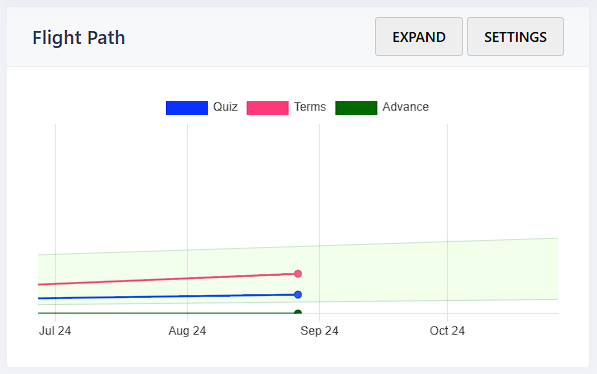
Every day that a student uses Smart Revise it records their overall percentage progress on that day. Teachers can see patterns of use for individual students and whether they are on target.

On the new-look student course homepage students will immediately see a simplistic graph of where they have come from, where they are now and where they are heading, together with a green target cone. By selecting “Expand” students can see a more detailed daily breakdown and the impact of each revision session.

The light green target cone can be customised in three ways: the date when progress should begin, the minimum percentage completion by the date of the first exam, and an aspirational goal. These three factors create the target cone. Teachers can customise the values for the whole class or for individual students. If a student belongs to a class, they can see their targets but cannot change them. Students that are not in a class can set their own targets.

One possibility might be to set the percentages to match minimum and aspirational grades being aimed for using the published grade boundaries from examination bodies. For example, a minimum target grade 5 might be 50% with an aspiration of a grade 7 at 70%. The default values are a minimum of 50% and aspiration of 80%.

However, be mindful that although evidence has shown there is a strong correlation between exam success and use of Smart Revise, completion and accuracy does not necessarily equate to a particular exam grade.

Teachers can see all the flight paths for their class be selecting the course, class, analytics, flight paths. By selecting “Load full data” the daily breakdown for a student can be seen.

To set the target cone start date and end of course targets for the whole class, select Configure on the class list page and the flight path tab.

To set the target cone start date and end of course targets for an individual student, select Manage student on the class list.

For more hints and tips on computer science revision take a look at our wide range of resources available throughout our website.

Related posts

What does the data on a student flight path mean? 

Flight paths in Smart Revise track student progress across quizzes, terms, and advanced written answers, providing a clear view of their learning journey. Learn how you can analyse detailed data, set target zones, and guide students to optimise their revision for maximum success.

4 March 2025

Craig ‘n’ Dave Newsletter: February 2025

In March we’re introducing a fresh new look to Craig’n’Dave. New logo, new website and new membership options. While modernising […]

3 March 2025

I’ve lost control of my own DNA

DNA kits are fun until you wonder where your data goes. From quirky ancestry facts to privacy risks, there’s more to it than spitting in a tube! Learn how to protect your genetic data.

18 February 2025

What are the benefits of studying OCR Computer Science GCSE?

OCR GCSE Computer Science develops problem-solving and logical thinking, paving the way for tech careers and more.

11 February 2025

Is the Digital Pound the future of UK currency?

The UK’s digital pound promises faster, safer payments—but at what cost? With privacy concerns and the risk of leaving cash users behind, is this the future of money or a step too far? Dive into the debate and discover what it really means for you.

4 February 2025

Craig ‘n’ Dave Newsletter: January 2025

This month, We share our thoughts on BETT 25, talk about computing teaching news and what events we will be attending this year. We discuss VEX robotics, Changes to the Lesson Hacker series and the new Smart Revise blogs.

31 January 2025

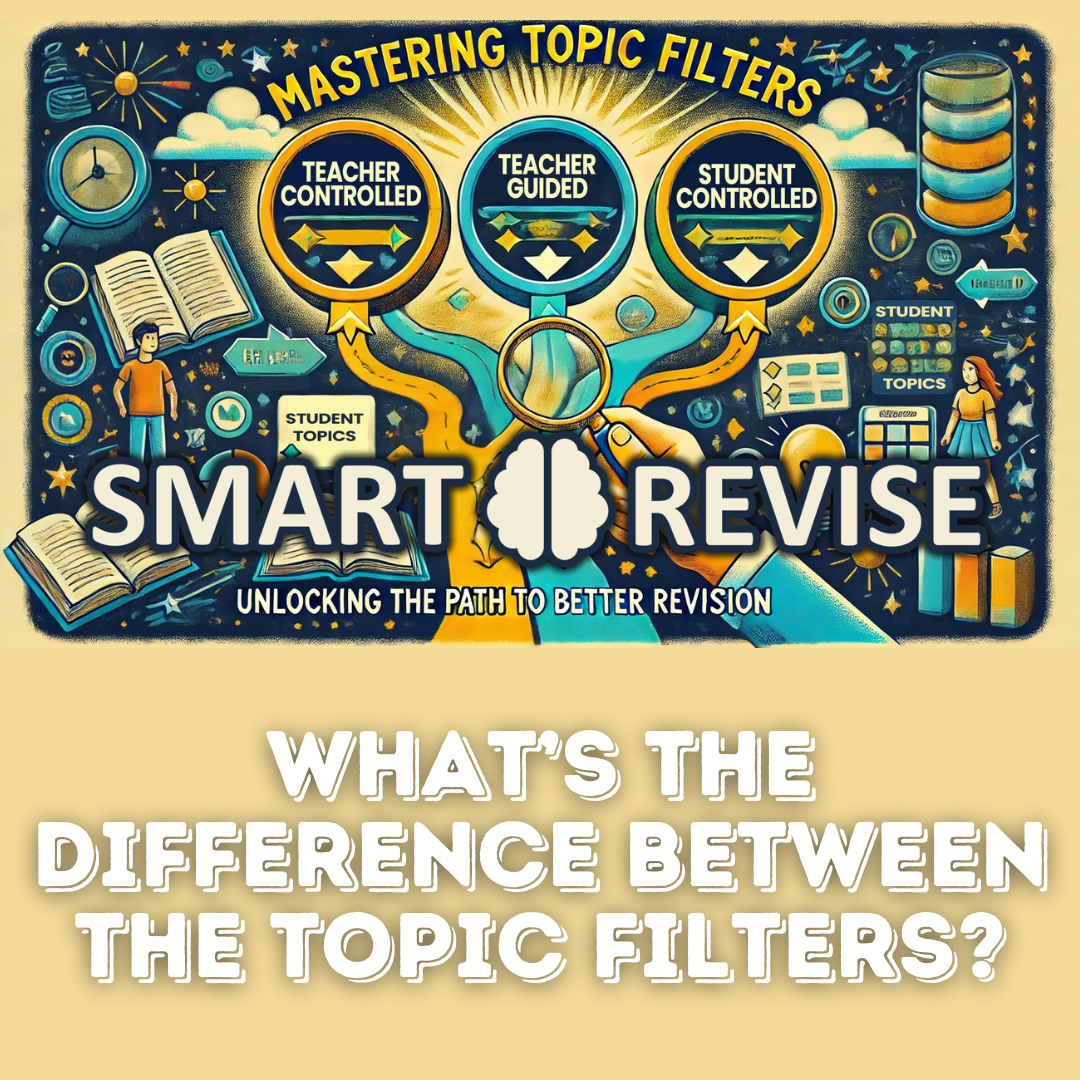
What’s the difference between the topic filters in Smart Revise?

Smart Revise’s filters—Teacher Controlled, Teacher Guided, and Student Controlled—help balance focus and flexibility. Teacher Controlled prioritises new topics and spaced learning, while Guided or Student filters suit test prep or final revision. Avoid “blocking” by encouraging interleaving for better long-term retention.

28 January 2025

Pavel Durov’s Arrest: The Future of Privacy and Telegram

The arrest of Pavel Durov, Telegram’s founder, has raised critical questions about the balance between privacy and responsibility online. As Telegram faces accusations of enabling criminal activity, the case could set a precedent for tech CEOs and the future of secure messaging platforms.

21 January 2025

Can You Spot the AI? The Rising Challenge of AI-Generated Faces

AI-generated faces are becoming harder to spot, with a recent study showing a 65% misidentification rate. While the technology offers exciting possibilities, it also raises concerns about bias and misuse.

14 January 2025