





24 December 2024
Tasks is the go-to mode for many teachers. It makes perfect sense as it reflects classic teaching methods. You set a task based on what you taught last lesson, the students complete it, marking happens and then you review the outcomes. Although Smart Revise is a sandbox system and teachers are free to use its features in any way they see fit, there are better ways to create recap and recall activities than setting Tasks.
The difference between Tasks and Quiz
- Tasks need to be set by the teacher every time you want to use them. Quiz only requires the teacher to tick one new box in the class topic filters after a new topic has been taught.
- Selecting only relevant questions based on what you taught last lesson from within a topic when creating a Task is time consuming.
- The students all get the same questions in a Task. This removes the opportunity for automatic personalisation, differentiation and intervention that Quiz provides by selecting the most pertinent questions for each student focussing on their individual knowledge gaps.
- Setting a Task containing only questions on a narrow body of knowledge creates what is known as “blocking”. Studies have shown that causing the brain to context switch between topics on a larger body of knowledge growing over time, known as “interleaving”, has more impact.
- A Task has a defined number of questions resulting in some students finishing early and having nothing to do while they wait for their peers. Quiz prevents this from happening by presenting more questions from a priority queue. With Quiz the teacher chooses when to stop the activity.
Effective recall activities
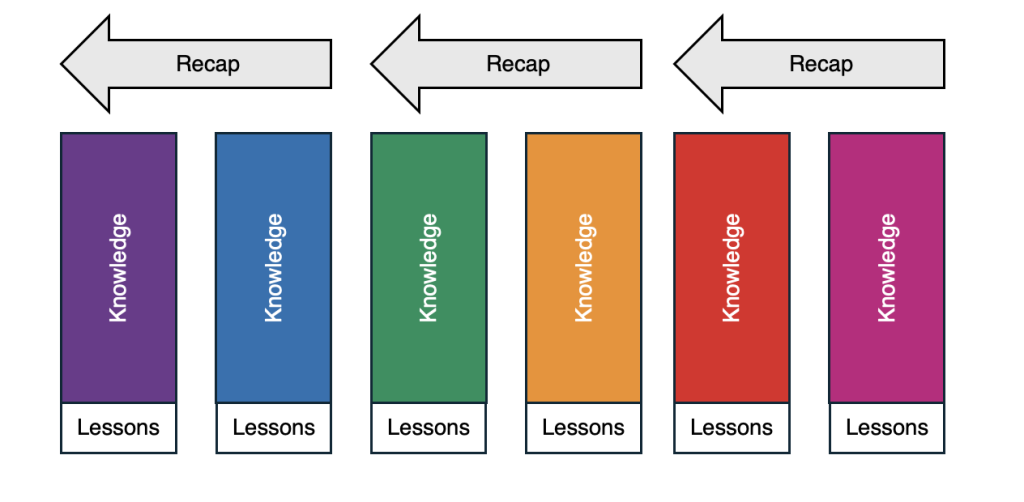
Recapping knowledge from only a couple of the most recently taught lessons using a Task can be illustrated like this:
Instead, recapping knowledge from everything taught so far can be illustrated as:
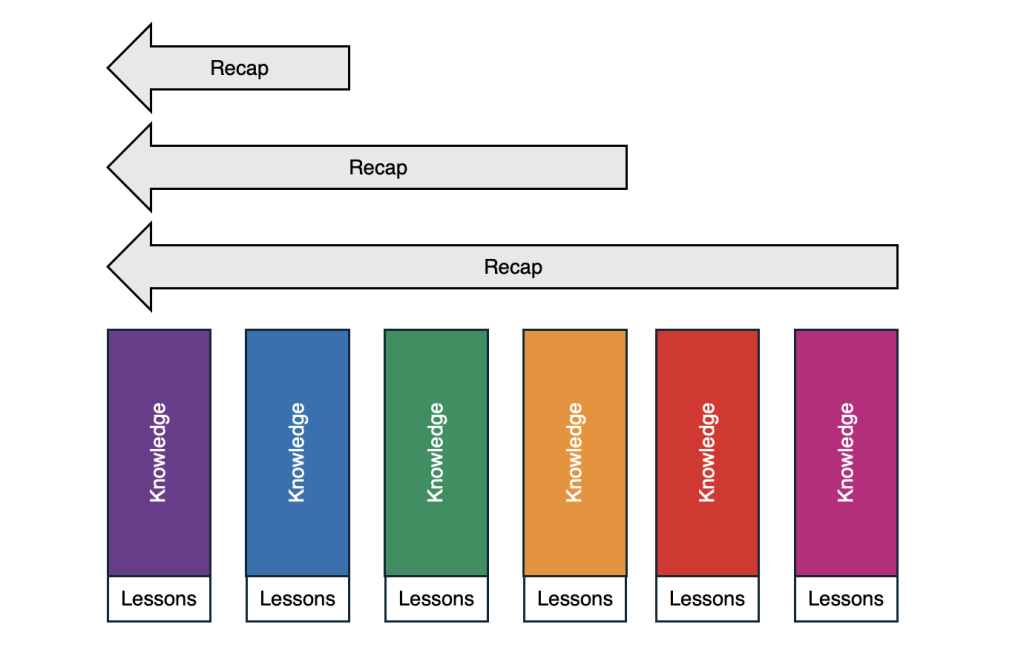
Committing knowledge to long term memory requires addressing the forgetting curve, and not simply recapping knowledge from recently taught lessons. Of course it is impossible to recap everything during a single lesson, so the situation is more nuanced. Quiz will always choose the questions that are most relevant to each student focussing on:
- Questions that have never been seen before from newly taught topics first.
- Questions that have been answered incorrectly most recently and frequently.
- Questions that have not been asked for some time, creating “spaced learning”.
Spotting misconceptions
Misconceptions can be spotted using the Questions Analysis report. Use the topic filters on the report to home in on particular topics. As students begin to answer these questions correctly, the top 10 questions will change dynamically. Tasks will give you a snapshot in time, which is great initially, but adds little value later. Use Quiz for recall and Tasks for key assessment points instead.
How to set this up for students
Every time you have finished teaching a topic unlock it for students using the class settings, topic filters. Do not lock the previously taught topics or select a topic you are currently teaching. The number of unlocked topics should increase from one to them all as you progress through the course.